Make yourself at home in any environment.
Your dotfiles, configs, and preferences, kept in sync across every computer you sit down at — in a repository you own, with no command line in sight.
Free and open source · macOS, Linux & Windows
WHY DOTDEN
Everything that makes a computer yours.
Private by design
Your files live in a Git repository you own. dotden never stores them on a server — it just keeps them in sync.
Every environment in sync
Commit once and your setup follows you to the next computer. macOS, Linux, and Windows, side by side.
No command line needed
A clean desktop app for your dotfiles — all the safety of version control, none of the yak-shaving.
MANAGED, NOT JUST SET UP
Set up in a minute. Managed for good.
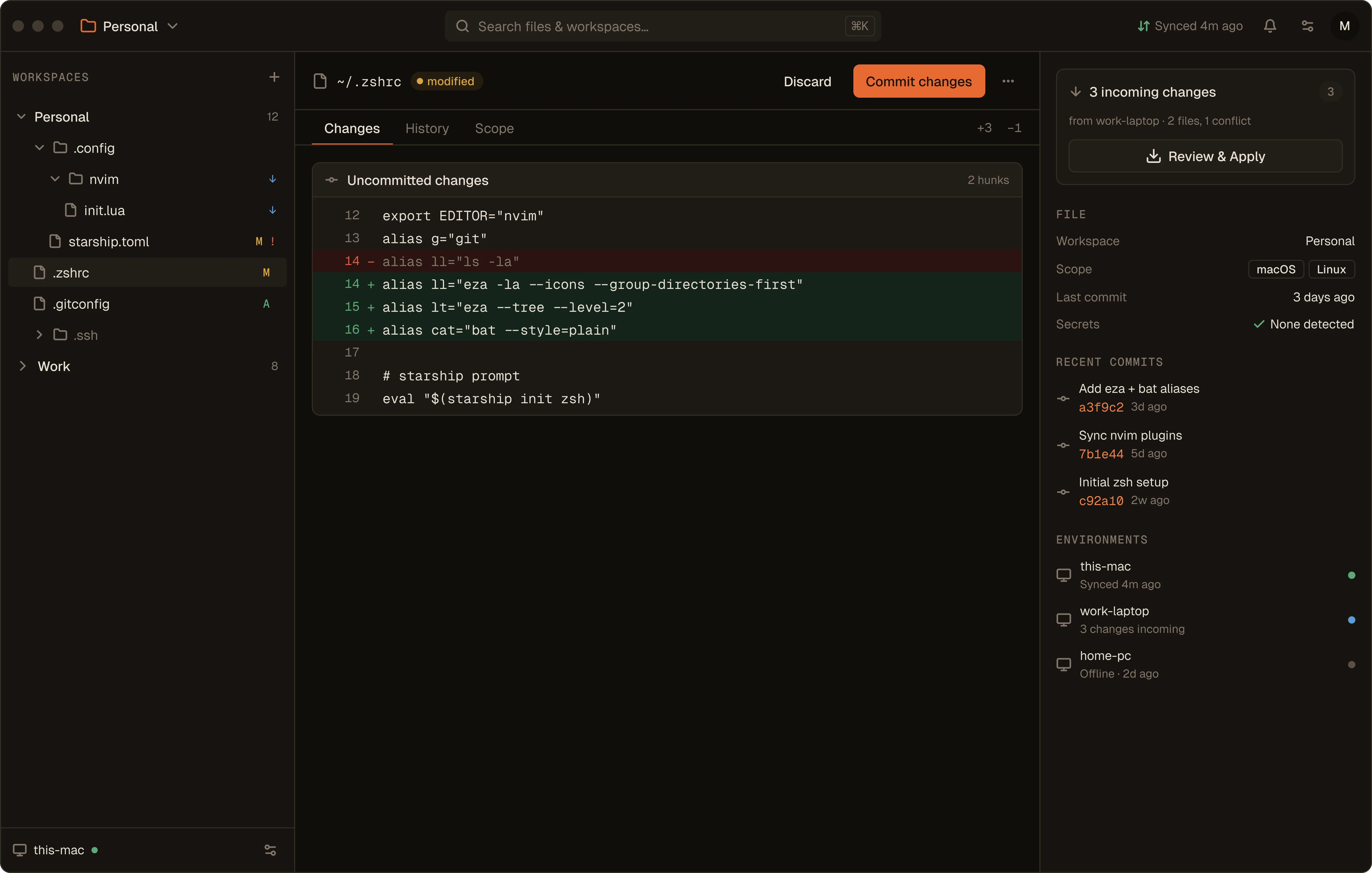
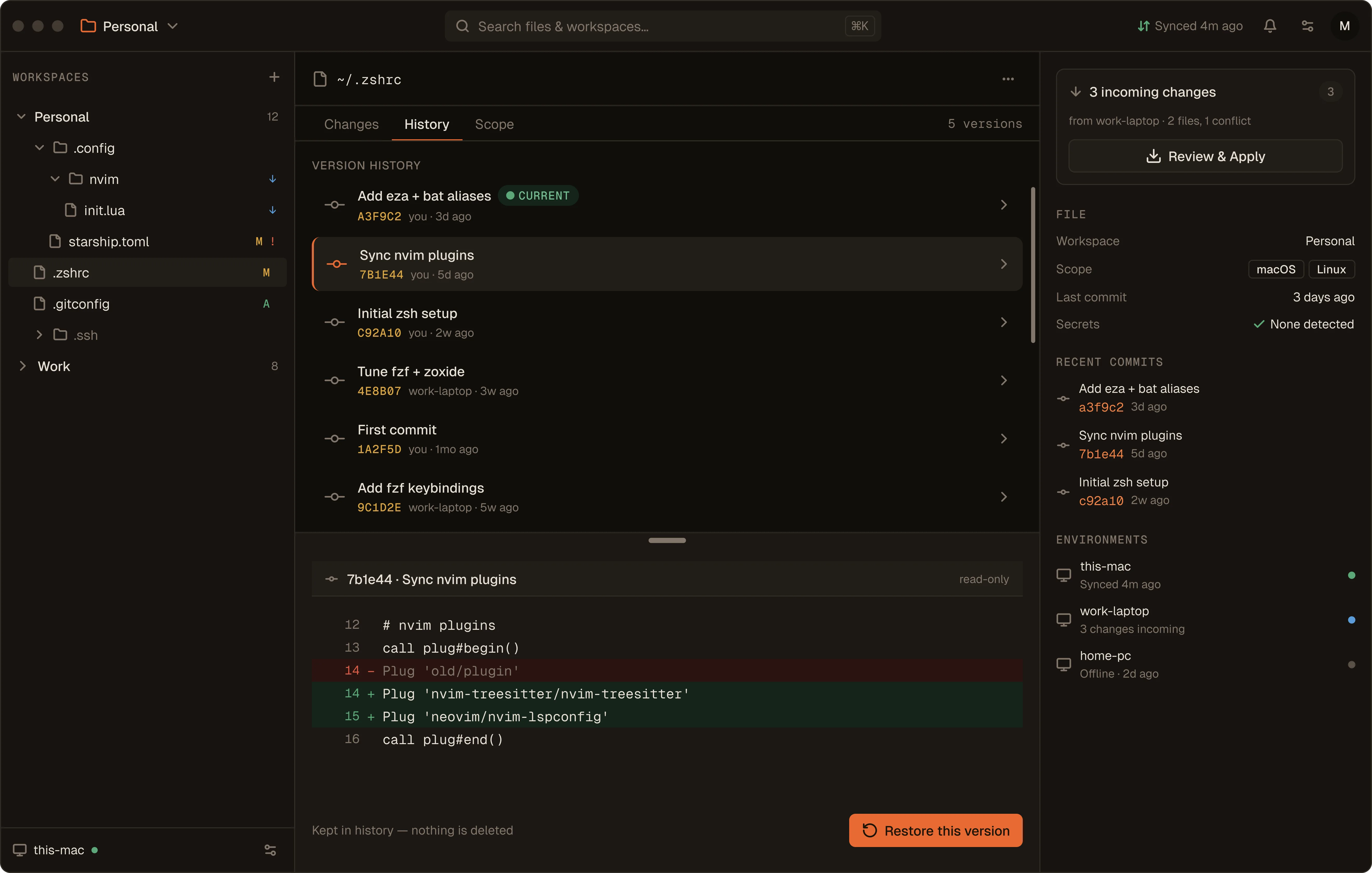
Point dotden at a repository you own and pick what to track — then it's synced. From there, dotden handles the day-to-day: every change reviewed, committed, and applied across your environments.
- Review every change before it syncs
- Commit and roll back any file
- Apply updates across every environment
HOW IT WORKS
From zero to synced in three steps.
- 1
Connect a repository
Point dotden at a private repository you own. That's where your Den lives — portable and yours.
- 2
Choose what to sync
Pick the dotfiles, configs, and folders that make a computer feel like yours.
- 3
Sit down anywhere
Open dotden on the next computer, review what's incoming, and apply your Den.
your environment, anywhere.
Free and open source. Get dotden on every computer you work from.